
Download Card Creator – game cards, card design, create cards, game design tool, digital card maker
Overview
Card Creator is a dedicated mobile application designed to streamline the process of creating game cards for tabletop, card, and digital games. The app serves as a digital card maker that empowers users to design, organize, and prepare cards for both prototyping and final printing. It is especially valuable for game designers, hobbyists, educators, and content creators who require a flexible yet intuitive tool to bring their game ideas to life. The app’s core purpose lies in simplifying the card creation workflow, reducing the time and complexity traditionally associated with designing game cards from scratch.
By offering customizable card formats and a drag-and-drop interface, Card Creator addresses the common challenges of maintaining consistency, managing layouts, and preparing print-ready files. Its support for multiple languages enhances accessibility, making it a useful tool across international communities. The app is particularly beneficial for those who need to rapidly iterate on game mechanics or test gameplay dynamics using physical cards. It also supports the transition from concept to production, allowing users to export high-quality assets suitable for professional printing.
Developed by Jason A. Bilbrey, the app has been available since 2017, reflecting a long-standing commitment to serving the game design community. While specific details about the developer’s background are not provided, the app’s longevity and consistent updates suggest a dedicated creator focused on user needs. Card Creator plays a meaningful role in the productivity app ecosystem by bridging the gap between creativity and practicality in game design.
Key Features & Functionality
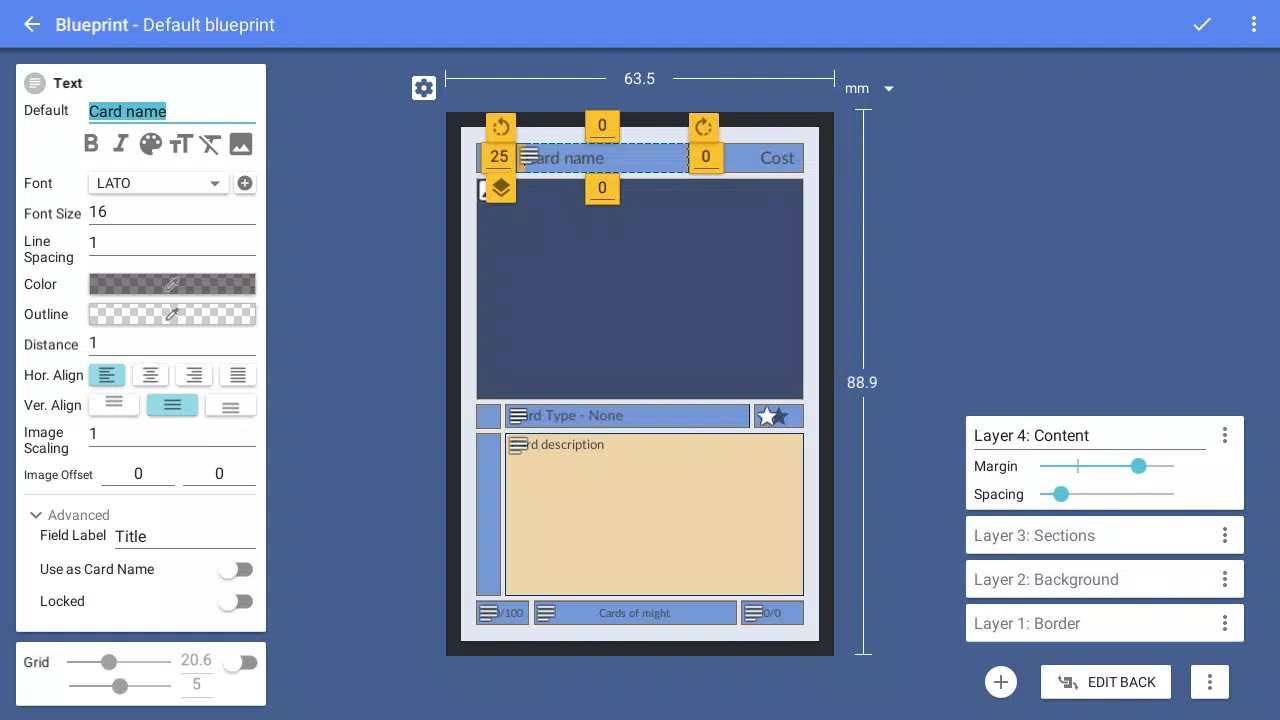
- Custom Card Formats: Using the Card Blueprint tools, users can define unique card dimensions, layouts, and zones, enabling the creation of game-specific cards that align precisely with gameplay requirements.
- User-Friendly Interface: Built with Google’s Material Design principles, the drag-and-drop WYSIWYG editor ensures a smooth and visually consistent experience, allowing users to focus on creativity without technical distractions.
- Rich Resource Gallery: The app includes thousands of preloaded icons, providing immediate access to essential visual elements for prototyping, even when custom graphics are unavailable.
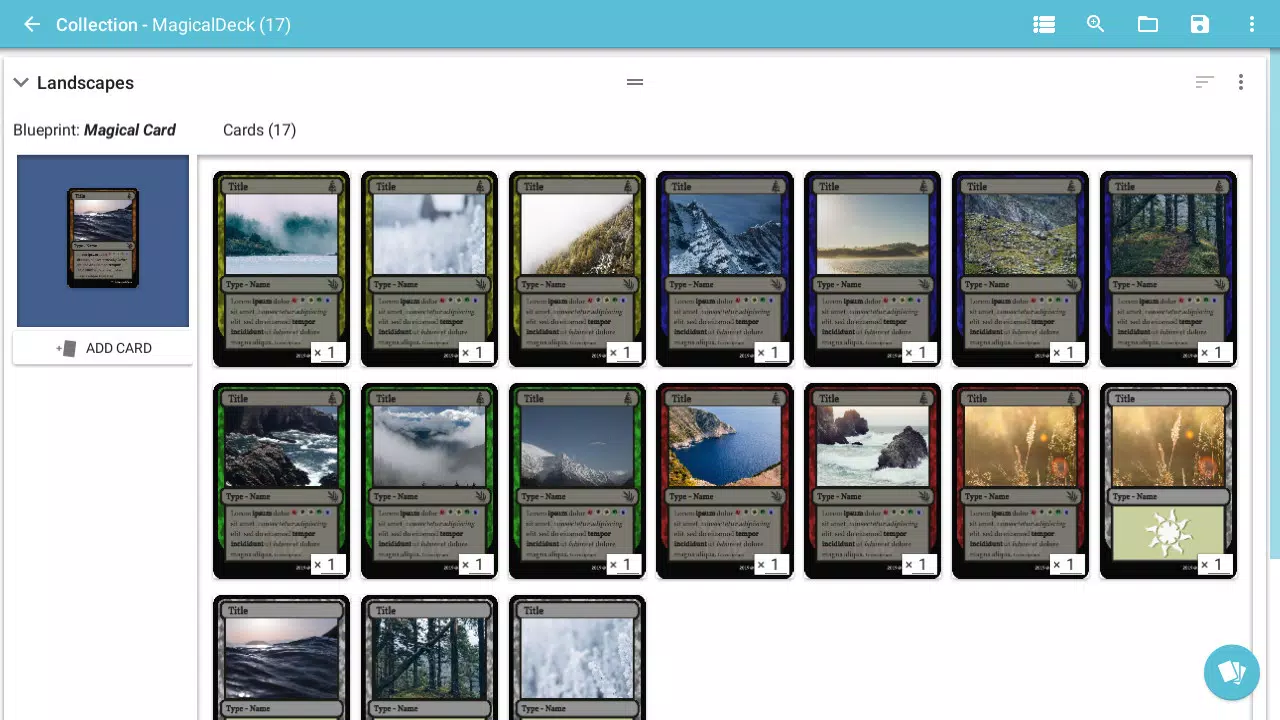
- Collection Management: Cards can be organized and rearranged in a virtual workspace, simulating real-world table-top interactions for intuitive testing and gameplay simulation.
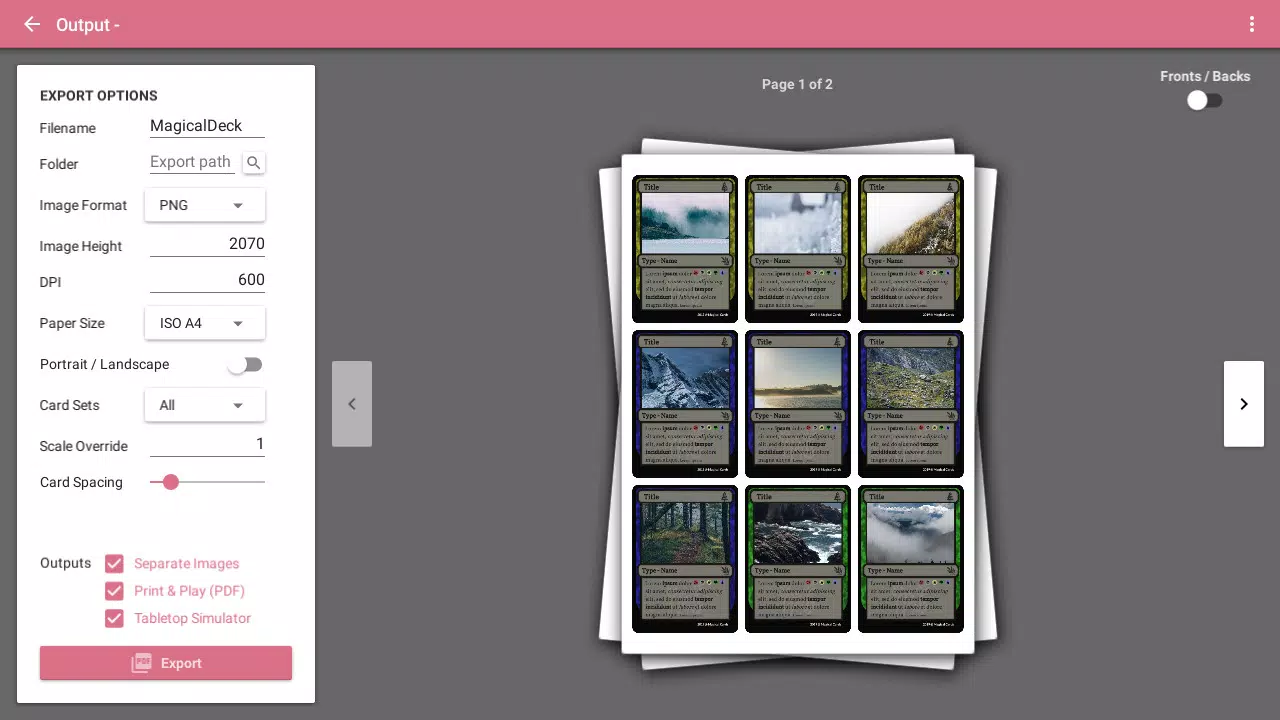
- Print & Play Features: Users can export designs as high-resolution images or PDFs with built-in cutting marks and bleed areas, ensuring professional-quality output for physical game production.
These features collectively support real-world use cases such as rapid prototyping for indie game developers, classroom activity creation for educators, and personalized card sets for hobbyists. For instance, a game designer can quickly test a new mechanic by generating a batch of cards with specific attributes, then reorganize them in the app to simulate gameplay. Similarly, a teacher can create custom flashcards with icons and text, using the app’s gallery to enrich content without requiring graphic design skills.
Interface, UX & Performance
The interface of Card Creator is built around a clean, intuitive layout that emphasizes usability and visual clarity. The app leverages Google’s Material Design principles, resulting in a consistent and modern aesthetic that enhances user engagement. Navigation is straightforward, with clearly labeled tools and a logical workflow that guides users from card creation to export.
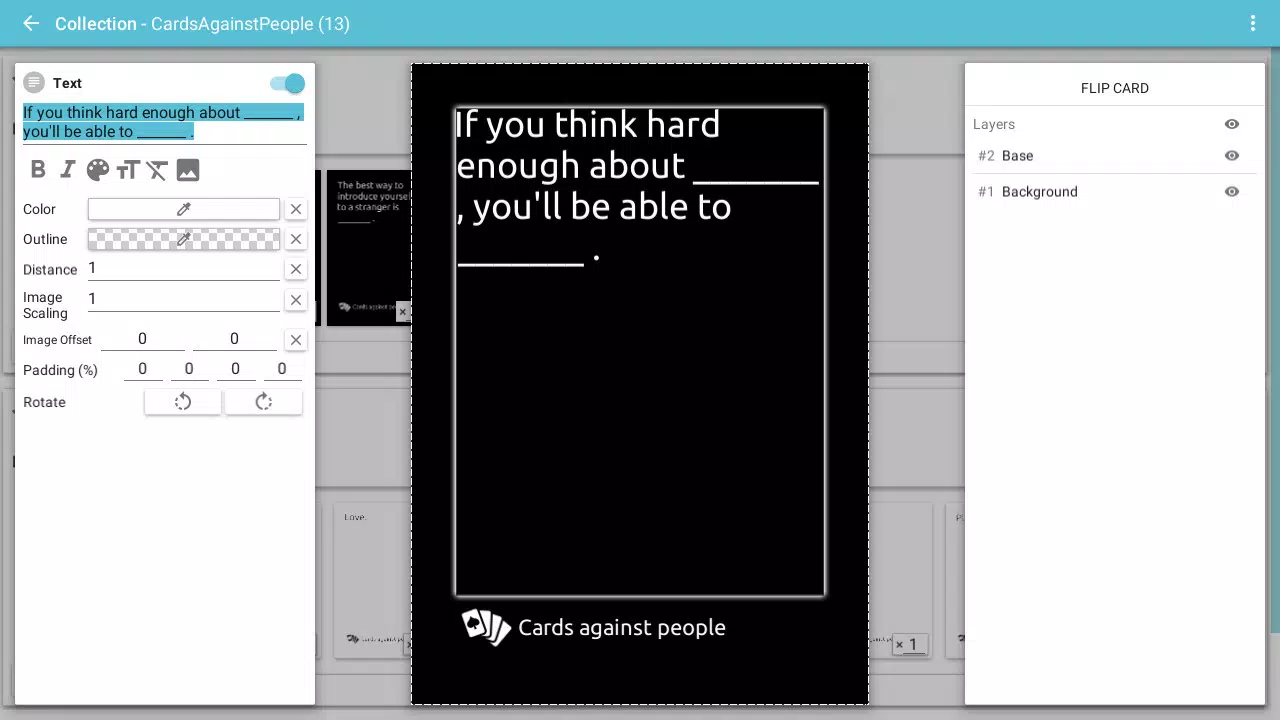
Users can drag and drop elements such as text, icons, and backgrounds directly onto card templates, providing immediate visual feedback. This WYSIWYG (What You See Is What You Get) approach minimizes the learning curve, allowing beginners to start designing within minutes. The app also supports smooth transitions between editing and organizing modes, ensuring a seamless experience when managing multiple card sets.
Although the developer did not list formal performance metrics, the app’s lightweight nature—15.2 MB in size—suggests efficient resource usage. It is expected to run smoothly on a range of Android devices, including mid-tier and older models. Responsiveness is maintained during editing tasks, and stability appears consistent based on the app’s long-term availability. No reports of crashes or data loss have been publicly documented, indicating reliable performance over time.
Platform Compatibility & Technical Requirements
Card Creator is available exclusively on the Android platform. The current version is 1.2.1, with a file size of 15.2 MB, making it a lightweight application suitable for devices with limited storage. The app is free to download and use, with no in-app purchases or subscriptions reported.
The developer did not specify minimum OS requirements or compatibility details beyond the platform. As such, users should verify compatibility with their device’s Android version through the app store. While the app has been available since 2017, the lack of updated technical specifications means that support for newer Android versions cannot be confirmed without further information.
Pros and Cons
Pros
- Intuitive drag-and-drop interface based on Material Design principles
- Extensive library of icons for rapid prototyping
- Supports custom card formats tailored to specific game needs
- Print-ready export with cutting marks and bleed areas
- Lightweight size (15.2 MB) ideal for older or low-storage devices
- Free to download and use with no hidden costs
Cons
- Platform availability limited to Android only
- Specific OS version requirements not disclosed
- Developer details beyond the name are not provided
- No information on cloud sync or cross-device access
- Limited visual customization options beyond preloaded assets
FAQ
Is Card Creator available for iOS?
As of now, the app is only available on the Android platform. No iOS version has been announced.
Can I use my own icons in Card Creator?
Yes, users have the option to import and use their own icons, expanding the range of design possibilities beyond the built-in gallery.
Is Card Creator safe to download?
Yes, the app is free from malware and is distributed through official Android channels. It does not require excessive permissions.
How do I export my cards for printing?
Users can export their card designs as high-quality images or PDFs with built-in cutting marks and bleed areas for professional printing.
Are there any updates for Card Creator?
The app has been updated since its release in 2017, with the latest version being 1.2.1. Users are encouraged to keep the app updated via the Android app store.
Final Thoughts
Card Creator stands out as a powerful, accessible tool for anyone involved in game design, education, or creative content creation. Its combination of customizable templates, a user-friendly interface, and robust print features makes it a versatile solution for both beginners and experienced creators. The app’s lightweight design and free availability further enhance its appeal, especially for users seeking a no-frills, efficient way to build game cards.
While the lack of iOS support and limited technical details may restrict some users, the app remains a strong choice for Android users in need of a reliable digital card maker. Its ability to support rapid prototyping, seamless organization, and professional printing output delivers clear value. Whether you're developing a new tabletop game, creating classroom materials, or designing personal card sets, Card Creator provides the tools to bring your vision to life.
Download Card Creator now


